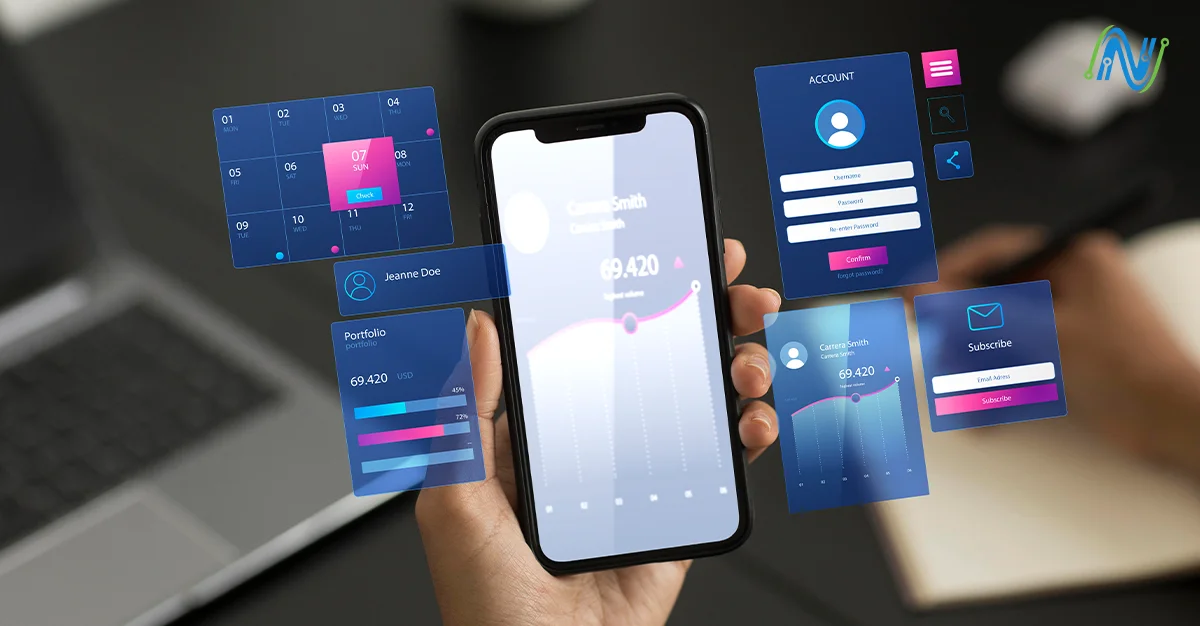

In the era of technological environment, the distance between a user interface/user experience (UI/UX) and a functional code is rapidly narrowing, which is enabled by the power of artificial intelligence (AI). Such innovative firms are using AI-driven tools to convert mock-ups in their static form to production-ready front-end code in an astonishingly short amount of time and with high accuracy. Such smart tools will be able to translate design files of applications such as Figma, Sketch, and Adobe XD (or even manually-drawn sketches and screenshots) to clean, developer-friendly code in many different frameworks.
Why the Shift: UI/UX → Code via AI
Being a UI/UX designer who has to work in the changing technology environment, I have recently learned the effects of AI in design in depth. Although the superficial excitement around AI is abundant, there is not much literature out there on how a designer is supposed to actually think differently in an AI-first world.
The Traditional Gap
In the past, a designer in the USA drew a UI/UX layout in such software as Figma or Adobe XD. At that point, a developer in the USA writes HTML, CSS, JavaScript, possibly React or Vue, to code that design to life. That hand-off frequently brings about delays, reinterpretation errors and lack of match between designed and executed product.
AI-Powered Design-to-Code Solutions
The important AI tools in this area are:
Locofy.ai: Transforms Figma and Adobe XD designs into production code in React, React Native, Next.js, HTML/CSS, Flutter, and others. It is concerned with the generation of clean, reusable components and it helps to integrate with the existing design systems.
Anima: Fills the gap between design and code, and converts Figma, Adobe XD, and Sketch designs into code that can be used by developers, in either React or HTML/CSS. It can be used to insert breakpoints and provide responsive behaviors to prototypes.
Builder.io: This is a Figma extension which generates semantic responsive code that is clean and easy to read. It enables a developer to interact with the AI and optimize the code based on prompts.
Wizard: Masters the ability to transform thoughts or wireframes (or even rough sketches) into high quality UI mockups and front-end code. It has an autodesigner capability, which enables its users to create UI screens by typing a simple text query.
TeleportHQ: Front-end code generation: a design-to-code platform which transforms Figma designs into HTML and other frameworks, allowing the team to create products quicker by automating the code generation of their front-end.
UI2CODE.AI: Turns screenshots and design images (JPG, PNG) into clean, optimized code in RADARs such as Flutter, Swift, Kotlin, and HTML all in a few seconds with AI technology.
UI Pilot UX Pilot is an artificial intelligence-based tool that creates UI screens according to the requirements, can be iterated through an AI chat interface, and produces native source code to create a screen, and simplifies the process of creating a screen to implementation.
Core Concepts to Understand
1. UX → UI → Code
The process of making the digital idea into a working product is the UX to UI to Code process. The basis of this process is User Experience (UX), it determines the interaction of a user with a system, the consideration of the navigation flow, information architecture, and wireframes that tracks the steps of the user experience. Having laid the UX structure, the designers proceed to the User Interface (UI) stage, which is the combination of creativity and functionality. In this case, the visuals such as colors, fonts, space and interactive features are designed to form a user-friendly and captivating design that will support the brand image. Lastly, the Code phase is when these images are transformed into a functioning product by such technologies as HTML, CSS, JavaScript, and current frameworks like React, Vue, or Flutter. Historically, this design to code had taken up time-consuming manual work and communication between the designers and the developers. Nonetheless, this gap is narrowing down fast with the emergence of AI-based design-to-code instruments. Design artifacts, like Figma files or sketches, can also be analyzed by artificial intelligence and can automatically create clean and reusable templates of code or entire components. This is not only quicker to build upon but also provides reliability in ensuring the vision of the designer and the final product which revolutionizes the process of creating digital experiences.
2. Multimodal generation and input.
The current models of AI have become extremely versatile, which allows them to read and translate different types of inputs into working code. It can be a picture of a mock-up, a design file created in Figma, or even a written text description and make the analysis of the structure, layout, and design elements to produce an exact, ready-to-use code. Such applications as Codia can be seen as an example of this innovation since it helps to work with various input types Figma files, uploaded images, or natural-language prompts and generate high-quality HTML, CSS, or React components. Such flexibility allows designers and developers to be more productive, by developing creative concepts and converting them into coded interfaces using little or no manual work or rework.
3. Framework & platform support
Design-to-code generation systems based on AI are flexible and can be used with numerous different frameworks like React, Vue, Angular, Flutter, and SwiftUI. The developers and startups, in particular, those located in New Jersey seeking the ability to create cross-platform digital products effectively, are game-changers with this multi-framework compatibility. Teams do not have to create individual web, iOS, and Android codebases, instead developers can use AI tools to create multiple, optimized code across environments. This capability is vital to startups, operating in highly competitive markets as they will save time and minimize expenses and provide a consistent user experience across devices to achieve faster innovation and scaling than they have done before.
4. Component libraries and responsive design
The AI-generated code should also be compatible between tablet, desktop, and mobile devices because a user needs to have a seamless user experience irrespective of the size of the screen. The current AI applications are developed to support the concept of responsive designs, which automatically changes layouts, grids, and components, depending on the viewport. In addition to the responsiveness, reusable elements and design tokens are needed to keep the brand consistent and efficient in its development. Design tokens that assist in standardizing the visual elements of a number of pages or a project like color palettes, typography and spacing. Such tools as Workik use these features, as they provide responsive layouts and reusable UI elements, as well as efficient state management, which allows developers to create scalable, maintainable, and visually coherent applications.
5. Reducing the time spent in hand-off, boosting developer efficiency
It has been noted in recent research that AI-based code generation can help cut the conventional design-to-development hand-off time by a significant margin, allowing teams to accelerate their idea-to-prototype time by a fraction of the standard time. Such a speed enables the designers and developers to work more on the refinements of user experiences, performance optimization, and introduction of innovative features as opposed to wasting time on the repetitive coding. This efficiency will be a key competitive advantage to based digital agencies, particularly those ones that are operating within the high-demand NYC Philadelphia corridor. Adopting AI-driven workflows, these agencies could accomplish more quickly a project, have deadlines that are shorter and go beyond client expectations and remain excellent in quality and creative control.
Case Studies
Case Study A
One of the fintech companies in the USA had to develop a portal to interact with its customers in less than 8 weeks. The UX team made Figma mocks of the login, dashboard and transaction views. They sent the designs to front-end developers who would take 34 weeks to hand-code the designs when instead they could convert the Figma designs to React + Tailwind components directly with a tool such as Codia. They unified the code, linked APIs and went live 10 days before. Less design-dev mismatch, reduced turnaround time to early deployment, reduced number of bugs.
Case Study B
There is a digital marketing agency in New Jersey that deals with several small business clients (restaurants, local retail). They adopted AI design-to-code landing pages: UX flows + UI comps designed in Figma then AI to code (HTML/CSS/JS) then deployed in CMS. The agency brought down the cost of labor and was able to offer low prices but still deliver the quality. They sold: New Jersey SMBs UI/UX design + frontend code in 72 hours
Metrics & ROI You Should Track
- Reduction of hand-off time: e.g. design-to-coded prototype decreased by X% (studies have indicated as much as 10x faster in design-to-code conversion)
- Bug/defect count: misinterpreted design counts have reduced, fewer layout bugs in production.
- Time saved by developers: released frontend developers to work on business code rather than UI plumbing.
- Time to market: The shorter the prototype, the shorter user feedback, the shorter the release.
- Client satisfaction: In the case of agencies, capacity of reusing code templates across local clients in New Jersey increases margin.
Challenges & How To Address Them
Challenge 1: Too much AI dependency = generic output.
When all landing pages look alike, clients blend in. Use AI code as a base, then customize with NJ-centric visuals, brand elements, unique interactions, and micro-animations to truly stand out.
Challenge 2: Quality and maintainability of the code.
AI-generated code can be useful but often requires tweaks and refactoring. To ensure long-term maintainability, New Jersey teams should implement linting, style guides, and component standards to review all AI output.
Challenge 3: responsive quirks, edge devices.
In New Jersey communities with varied bandwidth and older devices, ensure AI-generated code performs on low-end devices and slow networks (e.g., commuter train WiFi). Manual review and real-device testing remain essential.
Challenge 4: Skills gap
The NYC metro region (including NJ) designers might have to up-skill AI-enhanced processes, and front-end developers will have to adjust to new hand-offs. Hold internal training (e.g., AI-to-UI-to-Code lunch-and-learn in Morristown office) and launch small-scale projects.
Bottom Line
AI is merging with UI/UX and front-end development, accelerating the design-to-code process for high-quality digital environments. For designers and developers in competitive areas like New Jersey and NYC, adopting AI tools is essential for relevance and faster market entry. Though challenges like over-reliance, compatibility, and maintenance exist, they can be managed with customization, testing, and continuous upskilling. Implementing AI strategically allows agencies to quickly turn creative visions into finished products, boosting client satisfaction and business impact. Use AI design-to-code tools for smarter, faster, and more precise product creation. Designers, developers, and digital agencies needing to scale should embrace AI now to translate concepts into functioning digital experiences in record time.
Stay connected to NodeSol Corp in the competition to embrace AI-powered design-to-code tools today. Contact us today for free consultation and transform your creative concepts into high-quality digital experiences faster, smarter, and with precision. Start leveraging AI now to accelerate development, delight clients, and scale your agency’s impact.